2026 Military Pay Dates — Full Calendar
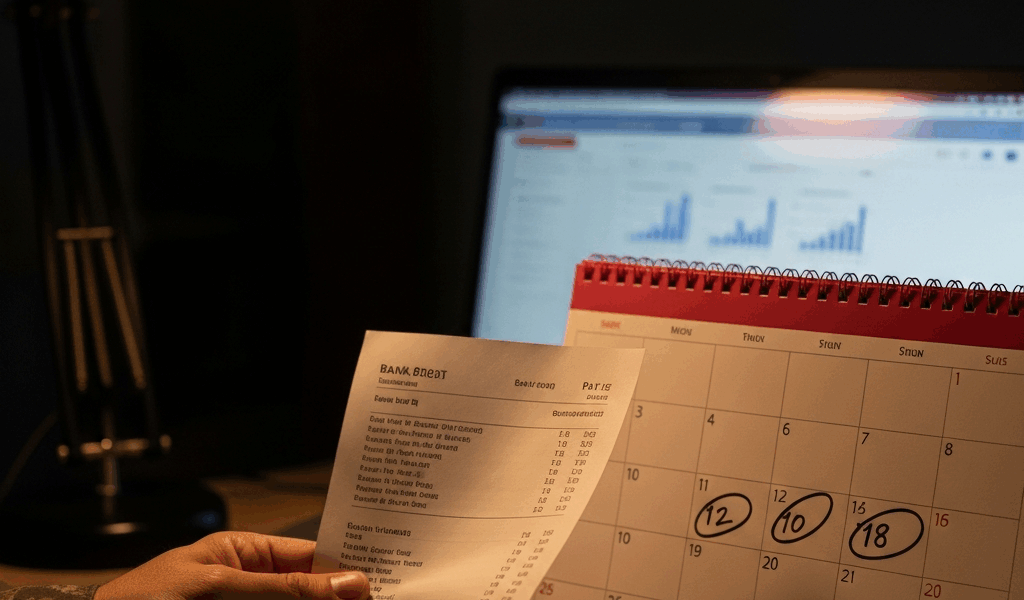
Military pay dates in 2026 are not as simple as the official calendar suggests. Let me cut through it. Active duty gets paid on the 1st and 15th of every month. Two deposits. That’s the whole system — at least on paper. What nobody bothers to explain clearly is that when those dates fall on a weekend or federal holiday, DFAS moves your payment earlier, not later.
Burned by a surprise early deposit once, I learned to read the actual calendar instead of trusting assumptions. Got caught expecting a Friday deposit that had already landed on Wednesday. Don’t make my mistake.
Here’s the full 2026 schedule with every shifted date called out:
| Pay Period | Scheduled Date | Actual Deposit Date (if shifted) |
|---|---|---|
| January 1 | Thursday | January 1 (New Year’s Day observed) |
| January 15 | Thursday | January 15 |
| February 1 | Sunday | January 30 (Friday) |
| February 15 | Sunday | February 13 (Friday) |
| March 1 | Sunday | February 27 (Friday) |
| March 15 | Sunday | March 13 (Friday) |
| April 1 | Wednesday | April 1 |
| April 15 | Wednesday | April 15 |
| May 1 | Friday | May 1 |
| May 15 | Friday | May 15 |
| June 1 | Monday | June 1 |
| June 15 | Monday | June 15 |
| July 1 | Wednesday | June 30 (Tuesday—July 4 holiday) |
| July 15 | Wednesday | July 15 |
| August 1 | Saturday | July 31 (Friday) |
| August 15 | Saturday | August 14 (Friday) |
| September 1 | Tuesday | September 1 |
| September 15 | Tuesday | September 15 |
| October 1 | Thursday | October 1 |
| October 15 | Thursday | October 15 |
| November 1 | Sunday | October 30 (Friday) |
| November 15 | Sunday | November 13 (Friday) |
| December 1 | Tuesday | December 1 |
| December 15 | Tuesday | December 15 |
Mark every shifted date in your phone. Seriously — a calendar alert set three days before each actual deposit date kills that 6 a.m. Friday panic when you’re staring at your bank account wondering where your money went. It already landed Wednesday. You just didn’t know to look.
How to Read Your LES Before Payday
Your Leave and Earnings Statement is the receipts document for your military paycheck. But what is an LES, exactly? In essence, it’s a line-by-line breakdown of every dollar going in and out of your pay. But it’s much more than that — it’s your early warning system. DFAS posts it five to seven days before the actual deposit. Open it. Read it. Errors caught early get fixed. Errors caught on payday do not.
Start at the top. Net pay — that’s what actually hits your bank account. Then scroll to allotments. TSP contributions, SGLI premiums, voluntary deductions — all listed with exact dollar amounts. A $50 error in your TSP setup compounds quietly every single pay period until you physically fix it. That’s what makes catching it on the LES so valuable to anyone watching their retirement contributions.
Next, check BAH and BAS. Basic Allowance for Housing and Basic Allowance for Subsistence. These are the big ones. Moved for a PCS? Your LES might still show the old zip code and the old rate — say, $1,200 instead of the $1,850 your new duty station actually pays. Don’t wait until payday to flag it. Walk it to your S-1 shop immediately.
One more thing: scan your YTD federal tax withholding total. Way off from what you expected? Your W-4 probably needs adjusting. One month of wrong withholding turns into an April surprise. January is a much better time to fix it than April 14th.
Common Reasons Military Pay Is Late or Wrong
Not every pay issue is a DFAS screw-up. Sometimes the paperwork trail leads straight back to your own in-processing folder. So, without further ado, let’s dive in.
PCS Move and BAH Lag
You move to a new duty station. The BAH table shows your new zip code pays $1,850 a month. Your LES still shows the old zip and $1,200. Move-in paperwork hasn’t cleared the system yet — takes two to three pay periods, typically. Document your actual move-in date with something physical: a signed lease, base housing paperwork, anything timestamped. Hit four pay periods with no update? Escalate, don’t wait.
New Enlistee First-Month Delay
Fresh out of basic training, recruits often miss that first or second paycheck entirely. DFAS needs your initial paperwork, direct deposit routing, and basic data entry locked in before a single dollar releases. Most delayed first payments sort themselves out by the second or third pay period. Call your unit finance office on day one of in-processing — not day five. Confirm your file is queued. That one call saves two weeks of anxiety.
Rank Change Not Processed in Time
You got promoted on the 10th. The system doesn’t push the new rank through until the 15th pay cycle, so you get one final check at your old rank. The makeup deposit follows next period. Expected, normal, not a crisis. It should appear as a notation on your LES, though. No notation anywhere? Contact S-1. Don’t shrug it off.
Allotment Errors
SGLI set up wrong. TSP contribution percentage accidentally doubled. Spousal support allotment off by a digit. These slip through data entry more often than finance offices admit. That’s apparently why checking your LES every single cycle matters so much — I’m apparently the type who skipped it twice and paid for it both times, and myPay works fine for catching this while paper statements never gave me enough lead time. Fixing one allotment takes a single phone call if caught early. Fixing twelve months of wrong deductions takes a correction voucher and a calendar.
TSP Contribution Mismatches
You set your Thrift Savings Plan to contribute $500 monthly. The system pulls $250. Or it’s hitting the wrong fund entirely. These errors show up most often right after initial enrollment or after you update your deferral percentage. Spotted on the LES, fixable by contacting TSP directly at 1-877-968-3778 or through your finance office — whichever moves faster at your installation.
What to Do If Your Pay Is Missing or Incorrect
Step one: Pull your most recent LES from myPay at dfas.mil. Look for incomplete fields, zeroed-out entries, anything that looks off. Screenshot everything before you close the window.
Step two: Walk into your unit S-1 office or battalion finance section the next business day. Bring your CAC card and that screenshot. Be specific — “My BAH shows zip code 92101 but I moved to 28307” lands better than “my pay is wrong.” They can open your file in real time and either fix it on the spot or generate a ticket number for escalation.
Step three: Three business days with no resolution from S-1? Call DFAS directly. The number is 1-800-321-3273. Save it in your phone right now — before you need it. Have your SSN, rank, and branch ready when you dial. Give them your ticket number from S-1. DFAS processes confirmed corrections within one to two pay cycles.
Timeline reality: routine fixes land in the next pay cycle. PCS BAH changes take two cycles. Complex multi-period corrections sometimes stretch to three. Never quietly absorb a missed payment past day 20 — escalate with documented dates and amounts, and push hard. DFAS moves fastest when you show up with facts.
Pay Tips Worth Knowing Before Your Next Payday
- Set up myPay before anything goes wrong. Create your account on day one at dfas.mil. You need it to update direct deposit, pull old LES statements, and reach DFAS support without waiting on hold indefinitely.
- Run the DFAS pay calculator. Enter your rank, years of service, and current duty station zip. It spits out your expected base pay plus BAH and BAS. Compare that figure to your LES gross. Any gap over $50 deserves a second look — at least if you want to catch problems before they stack up.
- Check your LES three to five days before payday. Not the morning of. Not the week before. Three to five days gives you enough runway to contact S-1 and actually get a response before the deposit hits.
- Save 1-800-321-3273 in your phone today. That’s the DFAS main line. When you need it, you’ll want it in under ten seconds, not buried in a Google search during a stressful morning.
- Keep a physical or scanned copy of your move-in paperwork. Email it to yourself with the date in the subject line. If your BAH lags after a PCS, that document is your proof of arrival — and S-1 will ask for it.
Your military paycheck is non-negotiable. Treat pay date errors with the same urgency you’d treat a missing piece of gear. Read the LES. Mark the shifted dates. Escalate with documentation when something goes sideways. DFAS responds to specifics — not frustration, not silence. Just facts, dates, and a ticket number.



Leave a Reply